File Sharing

How to send files safely

Use these steps to avoid access delays and protect private data during intake. If you can't share the file, send screenshots or a minimal sample - we can start from that.

Recommended file-sharing workflow

Follow these steps to avoid access delays and keep reviews focused on execution.

Steps
  1. Create a dedicated folder in Google Drive (or equivalent).
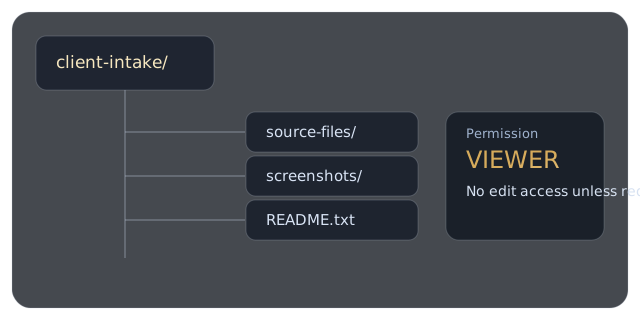
  2. Upload source files, screenshots, and a short README note.
  3. Set link permission to “Viewer” unless edit rights are required.
  4. Share only the folder link in your intake request.
Example intake folder tree with source files, screenshots, and README note
Recommended folder structure keeps review focused and avoids missing context.

Viewer permission recommended

Accepted and out-of-scope materials

Share only what is needed for the requested fix and keep credentials out of project files.

Submission boundaries

Accepted

  • Project files, exports, screenshots, and short context notes.
  • Synthetic or masked samples when production data is sensitive.

Do not send

  • Passwords, API secrets, billing details, or full identity records.
  • Irrelevant personal files outside project scope.

Final checks before submission

A short quality pass prevents avoidable delays after intake.

Quality checks

  • Remove any unrelated personal files from the shared folder.
  • Confirm timezone and delivery deadline in your request.
  • Include one example of expected output when possible.
  • Keep account and billing details out of shared working files.
Open intake form